💡 Key Features and Advantages
ExpressVPN boasts an array of features designed to give you top-tier security, privacy, and speed. Whether you’re concerned about hackers, censorship, or just need to keep your online activities private, ExpressVPN provides a comprehensive package for Windows users.
🛡 1. Impressive Encryption Standards for Maximum Privacy
When it comes to online security, ExpressVPN takes no chances. The service uses AES-256 encryption, which is the industry standard for protecting sensitive data and communications. This type of encryption is virtually unbreakable, ensuring that your personal information, browsing habits, and private messages remain completely secure from any potential surveillance, hacking, or snooping.
Not only does this encryption protect you from third parties, but it also guards against any potential threats when you're using public Wi-Fi networks. Whether you’re at a coffee shop or an airport, ExpressVPN ensures that your data remains encrypted and secure, even in potentially risky environments.
🌍 2. Access Global Content and Bypass Geo-Restrictions
One of the most popular uses for a VPN is to bypass geo-blocks, and ExpressVPN is exceptionally good at this. With a network of over 3,000 servers in more than 94 countries, you can easily connect to a server in your home country or another region to access content that is typically unavailable in your location. This means you can stream your favorite shows, access restricted websites, or enjoy services like Netflix, Hulu, BBC iPlayer, and more from anywhere in the world.
Whether you're traveling abroad and want access to content from your home country or you want to enjoy content that is only available in specific regions, ExpressVPN's vast server network makes it possible. Simply choose a server in the country of your choice, and you'll be able to enjoy unrestricted access to the content you love.
🚀 3. Lightning-Fast Speeds for Streaming and Gaming
ExpressVPN is renowned for its fast speeds, making it one of the top choices for users who want to stream HD video, play online games, or download large files without interruption. Thanks to Lightway, ExpressVPN's proprietary VPN protocol, users experience faster connection speeds, reduced latency, and improved stability compared to other VPNs.
ExpressVPN ensures that your online experience remains smooth, with unlimited bandwidth and no throttling. Whether you're watching Netflix in 4K or playing a game online, ExpressVPN allows you to enjoy fast, seamless connections without buffering, lag, or slowdowns.
🧑💻 4. User-Friendly Interface for Effortless Use
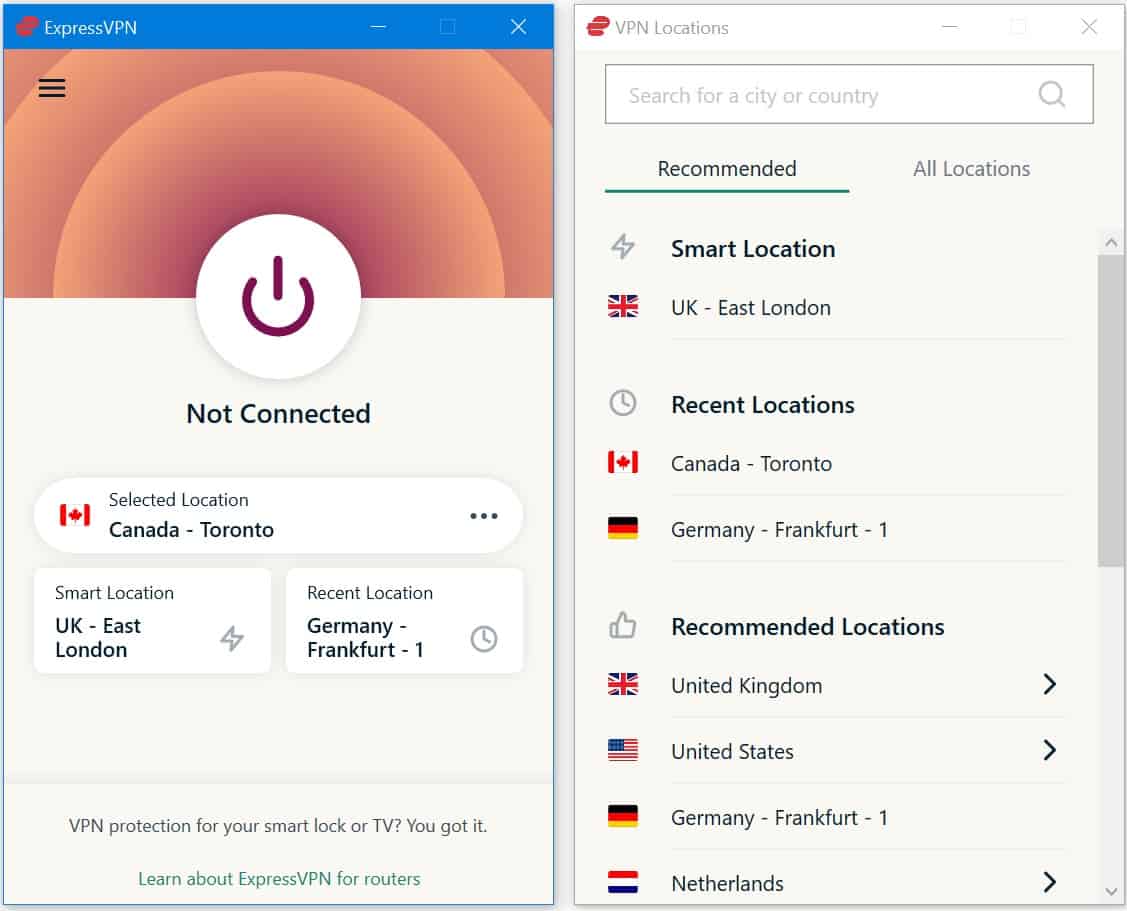
ExpressVPN is designed with simplicity in mind. Its interface is intuitive and easy to use, making it accessible for both beginners and experienced VPN users. Setting up the VPN on your Windows device is as simple as downloading the application, logging in, and clicking "Connect." You don't need to be a tech expert to get started.
If you’re a more advanced user, ExpressVPN provides customization options, such as choosing your server location or adjusting the VPN protocol. However, for most users, the app automatically connects to the best server based on your location and preferences, so you don’t have to worry about technicalities.
🔒 5. Leak Protection for Maximum Security
To ensure your privacy is never compromised, ExpressVPN offers DNS leak protection and IPv6 leak protection. This means that even if your VPN connection drops for any reason, your real IP address and browsing data will not be exposed to websites, ISPs, or hackers.
ExpressVPN’s Network Lock feature acts as a "kill switch," automatically disconnecting your internet if the VPN connection is lost. This ensures that your data stays private, even in the event of an unexpected connection drop. With this feature enabled, your privacy is always protected, and you don’t have to worry about accidental data exposure.
🛠 6. Split Tunneling for Advanced Control
For users who want more control over their VPN traffic, ExpressVPN offers a split tunneling feature. This allows you to decide which apps or websites use the VPN connection and which ones don’t. For example, you can route your web browser or media streaming apps through the VPN while leaving local apps (like gaming or banking apps) unaffected by the VPN.
This feature gives you more flexibility and lets you customize how your VPN works with your specific needs. It’s perfect for users who don’t want all their internet traffic going through the VPN but still want to protect certain activities or services.
🔍 Final Thoughts: Why Choose ExpressVPN for Windows?
ExpressVPN for Windows is one of the most powerful and versatile VPN services available today. With advanced encryption, lightning-fast speeds, and a user-friendly interface, it’s the perfect choice for both beginners and experienced users alike.
✅ Key Benefits:
- ✔ AES-256 encryption for high-level protection
- ✔ Over 3,000 servers in 94 countries for easy access to global content
- ✔ Lightway protocol for fast, reliable connections
- ✔ Split tunneling and DNS leak protection for enhanced privacy
- ✔ Network Lock kill switch for added security
ExpressVPN is a reliable, fast, and secure VPN service that is perfect for anyone looking to safeguard their online activities. Whether you want to stream content, protect your data on public Wi-Fi, or ensure your online privacy, ExpressVPN has the features you need.
 ExpressVPN for Windows