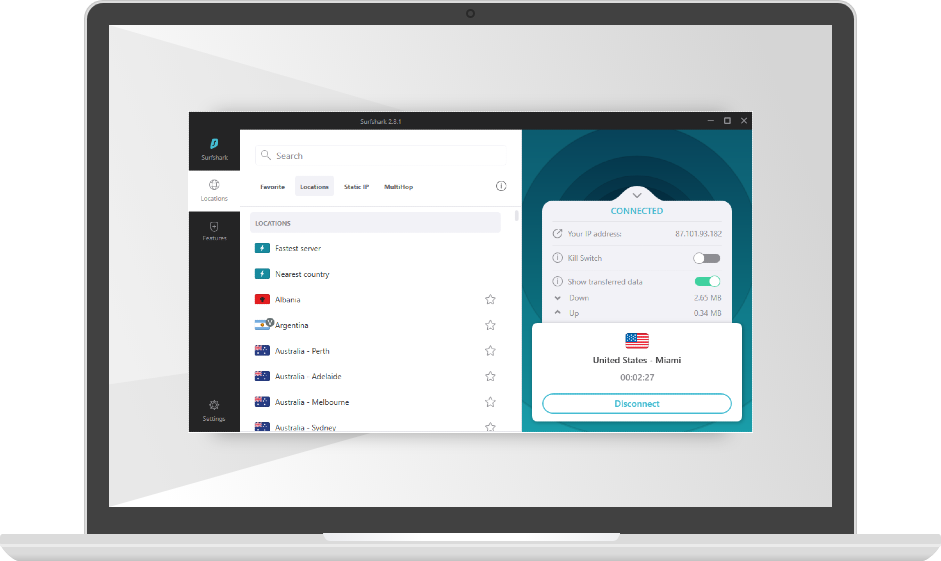
💡 Key Features and Advantages
Surfshark isn’t just another VPN—it’s a powerful tool packed with features tailored to enhance both your security and online freedom. Below is a detailed look at what makes Surfshark a standout option for Windows users:
⚡ 1. Unlimited Device Connections
One of the most attractive aspects of Surfshark is its ability to secure an unlimited number of devices with a single subscription. Whether it’s your desktop, laptop, smartphone, tablet, or even your smart TV, Surfshark ensures all your gadgets are protected simultaneously. This flexibility allows families, professionals, and tech enthusiasts to enjoy robust security without the hassle of managing multiple subscriptions.
This feature is especially beneficial in today’s multi-device environment. You can protect your entire digital ecosystem—at home or on the go—without worrying about additional costs or complicated setups.
🛡 2. Strong Encryption & Secure Protocols
Surfshark employs state-of-the-art AES-256 encryption, widely regarded as virtually unbreakable by modern standards. This military-grade encryption protects your sensitive data from prying eyes, ensuring that all online communications remain confidential. In addition, Surfshark supports multiple VPN protocols such as WireGuard, OpenVPN, and IKEv2/IPsec.
The flexibility to choose among these protocols means you can tailor your connection for either maximum speed or the highest level of security, depending on your needs. Whether you're streaming high-definition content or engaging in secure communications, Surfshark has the right settings to protect your data and optimize performance.
🌍 3. Global Content Access & No-Logs Policy
With Surfshark, geographical boundaries become irrelevant. Thanks to its vast network of servers spread across the globe, you can bypass geo-restrictions and enjoy content from anywhere in the world. Whether it's streaming international shows on Netflix, accessing region-specific services like BBC iPlayer, or simply surfing the web without borders, Surfshark opens up a world of possibilities.
Moreover, Surfshark is committed to your privacy with its strict no-logs policy. This means that the service does not track or store your browsing history or personal data, ensuring that your online activities remain completely private and anonymous.
🚀 4. CleanWeb & Malware Protection
In addition to safeguarding your data, Surfshark goes the extra mile by integrating a CleanWeb feature. This tool blocks annoying ads, trackers, and malicious websites, ensuring that your browsing experience is both faster and safer. With CleanWeb enabled, you won’t be bombarded with intrusive pop-ups or redirected to harmful sites.
The built-in malware protection helps shield your device from phishing attacks and other online threats, giving you peace of mind as you navigate the digital world. This results in a cleaner, more secure, and enjoyable online experience.
🧑💻 5. MultiHop and Camouflage Mode
For those who demand the highest level of anonymity, Surfshark offers advanced features like MultiHop and Camouflage Mode. MultiHop routes your internet traffic through multiple servers before it reaches its destination, adding extra layers of encryption and making it extremely difficult for anyone to trace your activities.
Camouflage Mode further disguises your VPN usage, ensuring that your internet service provider (ISP) cannot detect that you are connected to a VPN at all. This stealthy approach is ideal for users in regions with strict internet surveillance or for anyone looking to add an extra layer of privacy to their online sessions.
These features highlight Surfshark's commitment to delivering advanced privacy solutions without sacrificing speed or ease of use.
🔍 Final Thoughts: Why Choose Surfshark for Windows?
In conclusion, Surfshark for Windows is not just a VPN—it's a comprehensive security solution designed to meet the needs of modern internet users. Its powerful combination of high-speed connectivity, robust encryption, and advanced privacy features sets it apart from the competition.
Whether you are a casual web surfer, an avid streamer, or someone who prioritizes absolute privacy, Surfshark provides a seamless and secure online experience. The unlimited device connections mean you can protect every gadget in your digital life with a single subscription, while its global server network ensures you can access content from anywhere in the world.
The innovative CleanWeb and malware protection features not only enhance your security but also improve your overall browsing speed by blocking unwanted ads and trackers. Advanced functionalities like MultiHop and Camouflage Mode add additional layers of privacy for users who demand the utmost discretion.
Surfshark’s intuitive design and user-friendly setup process make it an excellent choice for both VPN novices and seasoned tech enthusiasts. Its commitment to transparency and high performance reflects its dedication to providing a top-tier service that doesn’t compromise on quality.
✅ Key Benefits:
- ✔ Unlimited device connections for complete coverage
- ✔ Strong AES-256 encryption paired with multiple secure protocols
- ✔ Global server access to unblock geo-restricted content
- ✔ No-logs policy ensuring complete user privacy
- ✔ Built-in CleanWeb feature for ad and malware protection
- ✔ Advanced privacy features like MultiHop and Camouflage Mode
If you’re looking for a VPN that is budget-friendly yet uncompromising on security and speed, Surfshark for Windows is an outstanding choice. It combines a user-centric design with powerful performance, making it ideal for protecting your digital footprint while ensuring a fast and unrestricted browsing experience.
Embrace the freedom and security that Surfshark brings to your online activities. Whether you’re streaming high-quality videos, engaging in online gaming, or simply browsing the web, Surfshark ensures that your connection is not only safe but also lightning-fast and reliable.
With its array of advanced features and commitment to user privacy, Surfshark for Windows is the perfect solution for anyone looking to enhance their digital security without sacrificing performance. By choosing Surfshark, you invest in a secure, private, and hassle-free internet experience.
 Surfshark for Windows