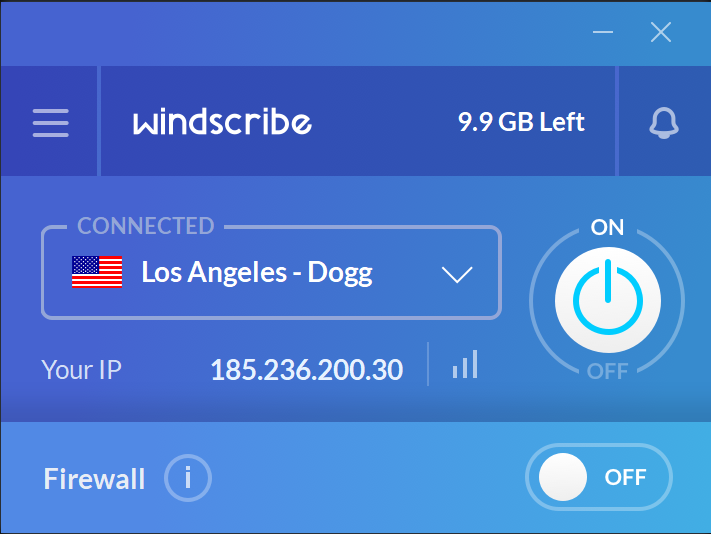
💡 Key Features and Advantages
Windscribe VPN is designed with a wide array of features that cater to both casual users and privacy enthusiasts. Its user-friendly interface, combined with advanced security protocols, make it an appealing choice for anyone looking to improve their online safety and freedom. Here’s a breakdown of the top features that make Windscribe stand out:
🛡 1. Strong Encryption for Secure Browsing
Windscribe uses AES-256 encryption to secure your online activities. This encryption standard is considered one of the most powerful methods for safeguarding data, ensuring your connection remains private and protected from hackers, government surveillance, or third-party data brokers. Whether you’re browsing the web, accessing public Wi-Fi, or conducting sensitive transactions, you can trust Windscribe to keep your information safe.
In addition to AES-256, Windscribe supports multiple tunneling protocols, including OpenVPN, IKEv2, and WireGuard, each of which has its own advantages in terms of speed, security, and compatibility. WireGuard, in particular, offers exceptional speed while maintaining a high level of encryption, making it perfect for tasks such as streaming, gaming, or large file downloads.
🌍 2. Global Server Network for Unrestricted Access
Windscribe operates a network of over 110 server locations in more than 60 countries around the world. This vast network ensures that you can always find a server that’s both fast and capable of bypassing geo-restrictions. Whether you want to access international streaming services like Netflix, BBC iPlayer, or Hulu, or simply need to browse content from another country, Windscribe’s servers give you the freedom to appear as if you’re browsing from anywhere.
With its large server network, Windscribe offers excellent speeds for activities like streaming, downloading, and gaming. You can connect to the closest server for the best speeds or select a server in a specific country to access content that’s normally unavailable in your region.
🧑💻 3. No-Logs Policy for Enhanced Privacy
Privacy is at the core of Windscribe VPN's design. The service has a strict no-logs policy, meaning that no user activity—including browsing history, IP addresses, or session details—is logged or stored. This ensures that even if authorities or third parties request data, Windscribe will have no records to provide.
Windscribe also offers extra privacy protection features, such as Double VPN and Split Tunneling, which provide additional layers of security and allow you to control which apps or traffic go through the VPN and which don’t.
🧳 4. Free Plan and Affordable Paid Options
Windscribe offers a free plan that gives you 10 GB of data per month, which is generous compared to other free VPN services. While the free version may be limited in terms of speed and access to certain servers, it still provides solid encryption and privacy protection for users who only need basic VPN functionality.
For those who require more data, Windscribe’s paid plans offer unlimited data, access to all servers, and faster speeds. The pricing for Windscribe is highly competitive, with options starting at $4.08 per month for a yearly plan, making it an affordable option for anyone looking for a reliable VPN with strong privacy features. Windscribe also offers a money-back guarantee on all paid plans, allowing users to try out the service risk-free for 3 days.
🚀 5. Ad and Tracker Blocking
Windscribe includes a built-in ad blocker that prevents intrusive ads and trackers from following you online. This is an excellent feature for users who want to minimize the risk of tracking, cookies, or even malicious ads while browsing the web. By blocking ads and trackers, Windscribe also helps to improve your browsing experience, making websites load faster and reducing the chance of exposure to malware or unwanted content.
The ad and tracker blocker, called R.O.B.E.R.T., can also be customized to block specific content, such as malware, phishing sites, or adult content.
🦸♂️ 6. Double VPN for Extra Security
For users who want an extra layer of security, Windscribe offers a Double VPN feature. This feature routes your internet traffic through two VPN servers instead of just one, effectively double-encrypting your data for added protection. Double VPN is especially useful for users who want to keep their online activities hidden from prying eyes or who need an added layer of protection when conducting sensitive tasks like financial transactions or working with confidential information.
🔒 7. Split Tunneling for Flexibility
Windscribe also supports split tunneling, which allows you to route only certain apps or websites through the VPN while letting other activities access the internet directly. This is ideal for users who want to maintain their privacy for specific applications—such as their web browser—while allowing other applications, like gaming or streaming, to work without a VPN.
This flexibility is helpful in managing bandwidth or dealing with any connectivity issues that might arise when using a VPN for specific activities.
🔍 Final Thoughts: Why Choose Windscribe for Windows?
Windscribe VPN for Windows is a highly versatile VPN solution that offers a great combination of security, privacy, and affordability. Whether you're a casual user or someone who values advanced privacy features, Windscribe delivers a solid experience without compromising on performance.
✅ Key Benefits:
- ✔ AES-256 encryption for robust security
- ✔ Wide server network in 60+ countries
- ✔ No-logs policy to protect your privacy
- ✔ Free plan with 10 GB of data per month
- ✔ Double VPN and Split Tunneling for enhanced protection
- ✔ Ad blocker to improve browsing speed and privacy
If you're looking for a VPN service that offers both value and high-quality features, Windscribe VPN is an excellent choice. With its reliable protection, impressive server network, and flexible pricing, Windscribe is a great way to secure your online presence without breaking the bank.
 Windscribe VPN for Windows